Source-available · macOS · Apple Silicon

Your voice stays on your Mac.

Meetings, voice memos, and system-wide dictation — transcribed locally on Apple Silicon. Nothing leaves your device.
Free & source-available  |  macOS 26+  |  Apple Silicon
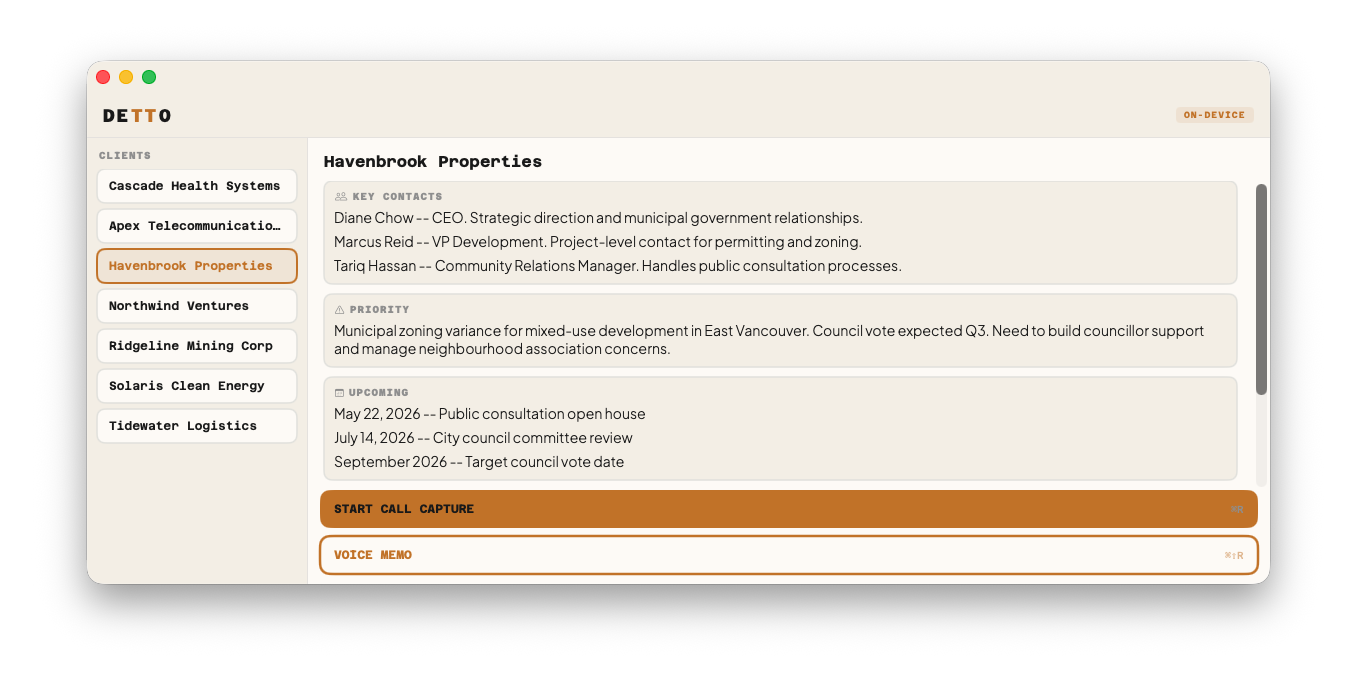
Detto on macOS showing the client briefing panel with key contacts, priorities, and call-capture controls
~330ms
to first text
0 bytes
sent during use
25
languages detected
100%
offline after setup

Three ways to capture. One place it lands.

Call Capture
Record both sides of a meeting. Detto detects your conferencing app and filters to just that audio. Speaker diarization splits participants into a structured transcript.
Voice Memo
Mic only. Quick thoughts, verbal notes, stream of consciousness. Saves to its own folder with the same clean, structured output.
Dictation
Hold a key, speak, release. Clean text appears at your cursor in any app, system-wide, offline. ~330ms to first text.

Capture with context.

Pick a client and Detto pulls their briefing from your vault — key contacts, current priorities, and upcoming dates — and lays it in front of you before the call starts. While you talk, it records both sides, separates the speakers, and writes that same context straight into the transcript header. The output file is renamed to include the client, so every capture lands in your vault already labeled, linked, and easy to find later. Capture without context is just noise — Detto makes sure every recording knows who it's about and why it matters.
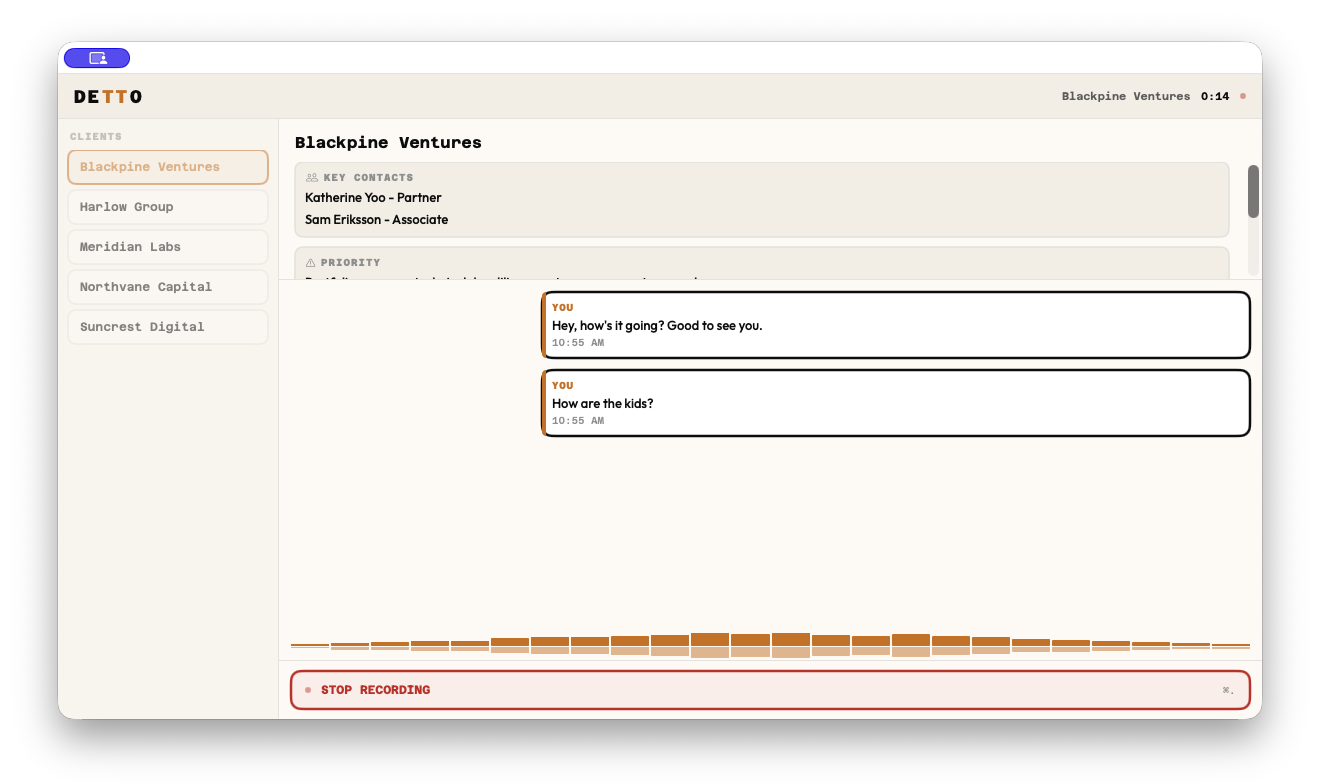
Detto capturing a live call with the client briefing on the left and a running, speaker-labeled transcript

Plain files you own.

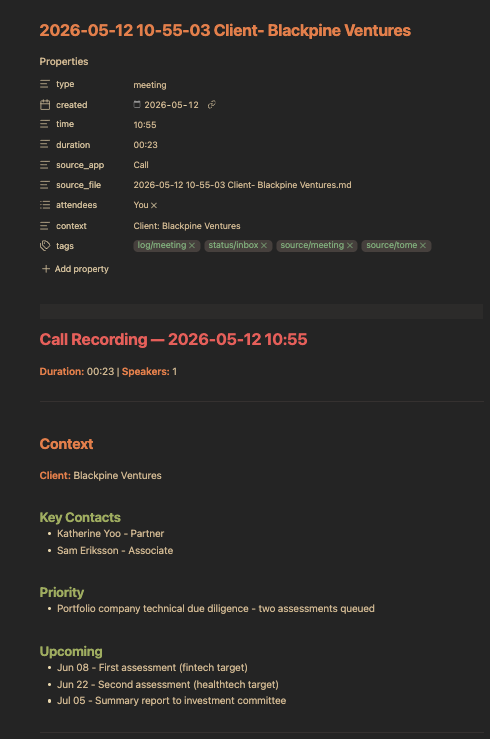
Every capture is a plain .md file with YAML frontmatter — type, date, duration, attendees, tags. Drop it in Obsidian, open it in VS Code, or pipe it to an agent. No proprietary format, no export step, no lock-in. Your vault stays organized without manual effort.

A Detto transcript opened in Obsidian as a markdown note with YAML frontmatter properties and a structured call recording
How it works

Speech recognition on the Neural Engine

Parakeet-TDT v3 runs ASR inference entirely on your Mac's Neural Engine. No audio is sent anywhere — capture happens in memory.

Text refinement on the GPU

Llama 3.2 3B (4-bit) cleans up filler words, punctuation, and grammar locally via MLX. Two-phase: a transcript appears instantly, then refines in the background.

No server. No account.

After a one-time ~3 GB model download, everything runs offline. The only other network call is an optional update check to a static file on GitHub.

Privacy is architecture, not a toggle.

There is no server. There is no account. There is no analytics SDK.
Can't access your data. Not "won't." Can't.
Cloud transcription vs. Detto
Cloud transcription
Your audioUploaded to servers
Your dataTheir cloud
OfflineNo
Output formatProprietary / locked
Privacy policy"May use data to improve"
PriceMonthly subscription
Detto
Your audioStays on your Mac
Your dataYour files
OfflineAlways (after setup)
Output formatPlain markdown
Privacy policyNo data to collect
PriceFree & source-available

Questions

How does it work without internet?
Detto runs two AI models locally on your Mac. Parakeet-TDT v3 handles speech recognition on the Neural Engine. Llama 3.2 3B handles text refinement on the GPU via MLX. After a one-time model download (~3 GB), dictation and transcription work entirely offline. The only recurring network activity is optional update checks to a static file on GitHub.
What Mac do I need?
Any Mac with Apple Silicon (M1 or later) running macOS 26 or later, with at least 8 GB of RAM. The models need approximately 3 GB of disk space. Intel Macs are not supported.
How accurate is it compared to cloud transcription?
Parakeet-TDT v3 is competitive with cloud ASR for English in professional contexts. The local refinement step cleans up filler words, grammar, and punctuation. Small local models won't match a frontier cloud model on polish. That's the trade for owning your voice.
Does dictation work with [my app]?
Yes. Detto injects text at your cursor in whatever app has focus. Slack, Zoom chat, VS Code, Notion, email, browser forms, Terminal. If you can type in it, Detto works with it.
What languages does it support?
ASR auto-detects 25 European languages. Text refinement is English-tuned. Other languages transcribe fine, with less polish on punctuation and capitalization.
What permissions does it need?
Microphone for all modes. Screen Recording for call capture (system audio). Accessibility for dictation (text injection). All requested during onboarding.
Is it really free?
Yes. Detto is source-available under the Business Source License 1.1. You can use it personally, build from source, and modify it. The license converts to MIT in 2030. The speech engine (GrembleVoice) is open source under Apache 2.0.

Your voice. Your Mac. No one listening.

Free, source-available, and entirely on-device.
Download for Mac
— or get notified of updates —